+1 (581) 518-8881
sales@jonesolutions.com
Client Login
đŸ›Ąī¸Endless Lifecycle Support for End-of-Life Linux
Hosting Licenses

ELS for Operating Systems

TuxCare's Endless Lifecycle Support keeps end-of-life Linux distributions secure with ongoing CVE patches for kernels and critical packages. Avoid costly OS migrations while staying compliant.

Learn more at tuxcare.com/endless-lifecycle-support/operating-systems-eol-support/
CentOS 6/7/8Ubuntu 16/18/20Oracle Linux 6/7No Migration Required
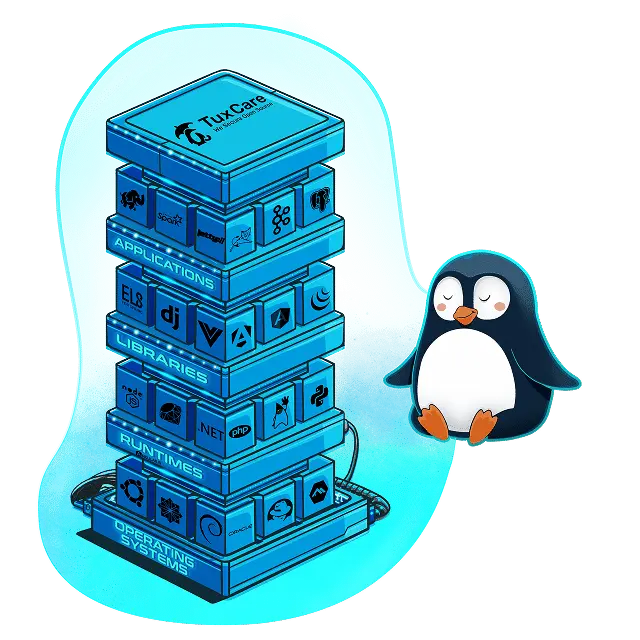
What is ELS for Operating Systems?

TuxCare's Endless Lifecycle Support (ELS) for Operating Systems keeps end-of-life Linux distributions secure with ongoing CVE patches long after the official end-of-life date. Instead of rushing into a costly OS migration, you receive regularly tested security patches for the kernel and critical packages — delivered through your existing package manager with a single setup script and no reboot required.

ELS for Operating Systems screenshot

Choose Your License

ELS for Operating Systems

$10/mo
  • 1 Server
  • CentOS 6/7/8/8 Stream, Ubuntu 16/18/20 and Oracle 6/7 ( Please specify your OS during sign up )
  • Kernel & Critical Packages
  • CVE Patches via Package Manager
  • Free Installation & Setup
  • Official TuxCare License
Order Now

What ELS for Operating Systems includes

🐧

Supported Distributions

  • CentOS 6, 7, and 8
  • CentOS Stream 8
  • Oracle Linux 6 and 7
  • Ubuntu 16, 18, and 20
  • Custom/unlisted distributions on request
🔒

Security Patching

  • Ongoing CVE patches after official EOL
  • Linux kernel security updates
  • Critical package patches: Apache, PHP, MySQL
  • glibc and OpenSSL/SSH updates
  • Rigorously tested before production release
  • Stable beta repository for pre-production testing
  • Coverage for 5,000+ vulnerabilities fixed to date
  • 10,000+ packages supported across distros
⚡

Easy Implementation

  • Single script installation — no migration needed
  • No server reboot required to activate
  • Delivered via your existing package manager (yum/apt)
  • Repository switch — works like a standard update
  • Full implementation instructions provided
  • Compatible with on-premise and cloud environments
  • Works alongside automation tools and vulnerability scanners
📋

Compliance & Stability

  • Maintain regulatory compliance on legacy systems
  • Avoid compliance gaps during migration planning
  • Stable patching without breaking changes
  • Surgical precision patch development
  • Zero unintended side-effects testing policy
  • Audit-ready patching history
âŗ

Unlimited Support Duration

  • Support continues for as long as you need
  • Buy time to plan a proper OS migration
  • No forced upgrade deadlines
  • Support available years past official EOL date
  • Covers OS, runtimes, libraries, and applications
  • Flexible subscription — cancel when ready to migrate
đŸĸ

Enterprise Scale

  • 2,300+ enterprise clients worldwide
  • 220,000+ patches delivered
  • 70+ Linux distro versions supported
  • 10,000+ Linux kernels continuously patched
  • Trusted by Cisco, IONOS, and more
  • 24/7 priority support
  • Volume discounts and bundle pricing available
  • Infrastructure agnostic — on-premise or cloud

How to Install ELS for Your OS

After purchasing a license, follow the steps below for your operating system. You will receive your license key via email. TCP port 443 must be open and root access is required. Architecture: x86_64.

YUM

CentOS 6

Port 443 → cln.cloudlinux.com
1
Download the install script
wget https://repo.els.tuxcare.com/centos6-els/install-centos6-els-repo.sh
2
Run with your license key
sh install-centos6-els-repo.sh --license-key XXXXXXXX
3
Verify installation
yum info els-define
Apply updates anytime with: yum upgrade
YUM

CentOS 7

Port 443 → cln.cloudlinux.com
1
Download the install script
wget https://repo.tuxcare.com/centos7-els/install-centos7-els-repo.sh
2
Run with your license key
sh install-centos7-els-repo.sh --license-key XXXXXXXX
3
Verify installation
yum info els-define
Apply updates anytime with: yum upgrade
YUM

CentOS 8

Port 443 → cln.cloudlinux.com
â„šī¸ Use centos8.4 or centos8.5 in the script name depending on your minor version.
1
Download the install script (CentOS 8.5 example)
wget https://repo.els.tuxcare.com/centos8.5-els/install-centos8.5-els-repo.sh
2
Run with your license key
sh install-centos8.5-els-repo.sh --license-key XXXXXXXXXXX
3
Verify installation
yum info els-define
Apply updates anytime with: yum upgrade
YUM

CentOS Stream 8

Port 443 → cln.cloudlinux.com
1
Download the install script
wget https://repo.tuxcare.com/centos8stream-els/install-centos8stream-els-repo.sh
2
Run with your license key
sh install-centos8stream-els-repo.sh --license-key XXXXXXXX
3
Verify installation
yum info els-define
Apply updates anytime with: yum upgrade
APT

Ubuntu 16.04

Port 443 → cln.cloudlinux.com
1
Download the install script
wget https://repo.els.tuxcare.com/ubuntu16_04-els/install-ubuntu16.04-els-repo.sh
2
Run with your license key
bash install-ubuntu16.04-els-repo.sh --license-key XXX-XXXXXXXXXXXX
3
Verify installation
apt-cache show els-define
Apply updates anytime with: apt upgrade
APT

Ubuntu 18.04

Port 443 → cln.cloudlinux.com
1
Download the install script
wget https://repo.els.tuxcare.com/ubuntu18_04-els/install-ubuntu18.04-els-repo.sh
2
Run with your license key
bash install-ubuntu18.04-els-repo.sh --license-key XXXXXXXXXXX
3
Verify installation
apt-cache show els-define
Apply updates anytime with: apt upgrade
APT

Ubuntu 20.04

Port 443 → cln.cloudlinux.com
1
Download the install script
wget https://repo.tuxcare.com/ubuntu20_04-els/install-ubuntu20.04-els-repo.sh
2
Run with your license key
bash install-ubuntu20.04-els-repo.sh --license-key XXXXXXXXXXX
3
Verify installation
apt-cache show els-os-release
Apply updates anytime with: apt upgrade
YUM

Oracle Linux 6

Port 443 → cln.cloudlinux.com
1
Download the install script
wget https://repo.els.tuxcare.com/oraclelinux6-els/install-oraclelinux6-els-repo.sh
2
Run with your license key
sh install-oraclelinux6-els-repo.sh --license-key XXXXXXXX
3
Verify installation
yum info els-define
Apply updates anytime with: yum upgrade
YUM

Oracle Linux 7

Port 443 → cln.cloudlinux.com
â„šī¸ For kernel-uek support, manually enable the UEKR6 repository after installation.
1
Download the install script
wget https://repo.tuxcare.com/oraclelinux7-els/install-oraclelinux7-els-repo.sh
2
Run with your license key
sh install-oraclelinux7-els-repo.sh --license-key XXXXXXXX
3
Verify installation
yum info els-define
Apply updates anytime with: yum upgrade
📋 Full documentation and CVE tracker available at docs.tuxcare.com/els-for-os

Need help choosing or a bulk discount?

Contact us for volume pricing and assistance.

Contact Sales
JoneSolutionsLogin