JS FTPanel - Pure-FTPd Control Panel
Our in-house built FTP management panel for Pure-FTPd. Full admin control plus a client self-service portal - manage FTP accounts, quotas, live connections, TLS encryption, and a complete audit log, all from a clean dark-themed dashboard. No command line required.
🎁 JS FTPanel is FREE with every Dedicated Server
View Dedicated Server PlansScreenshots
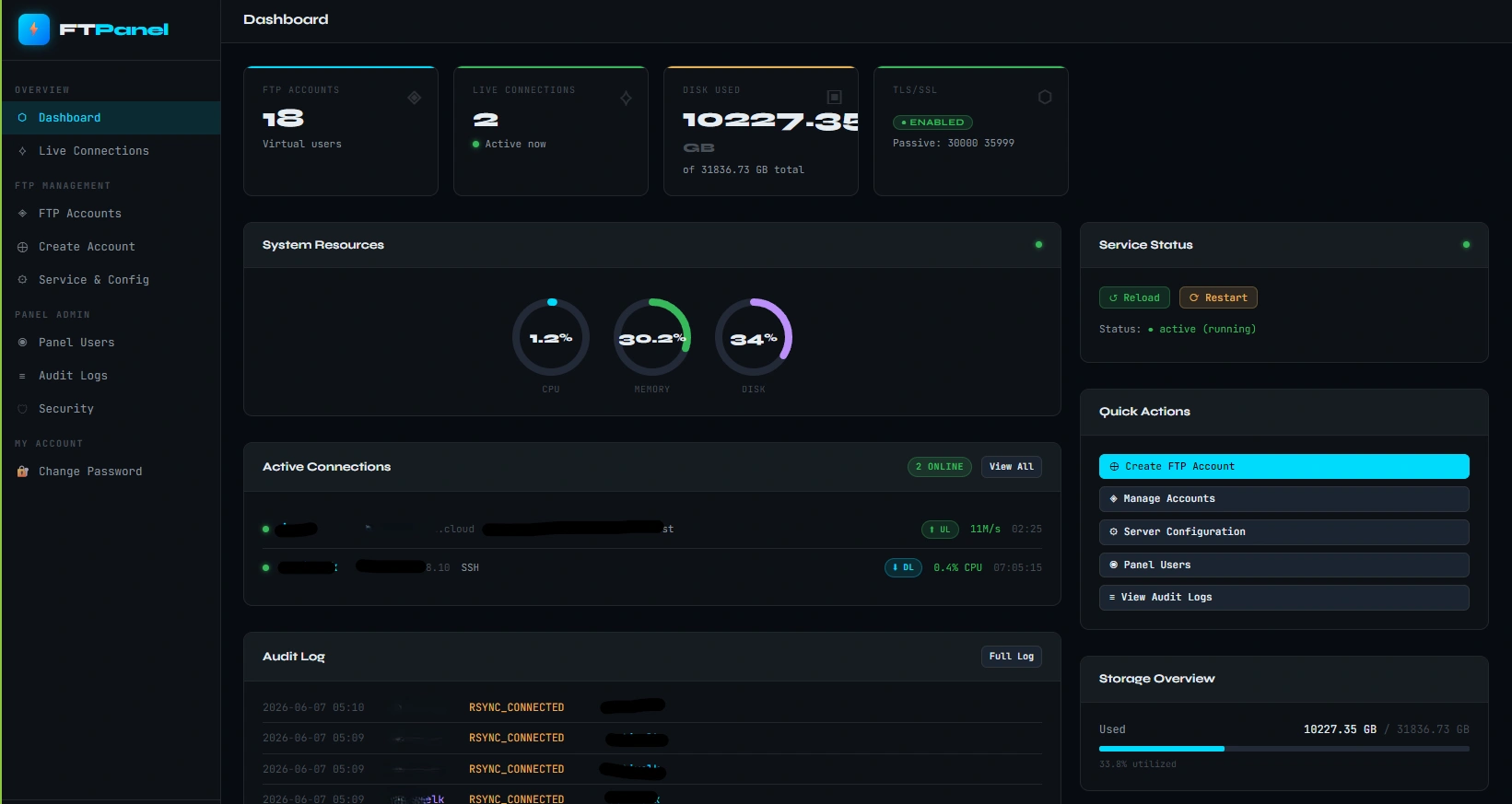
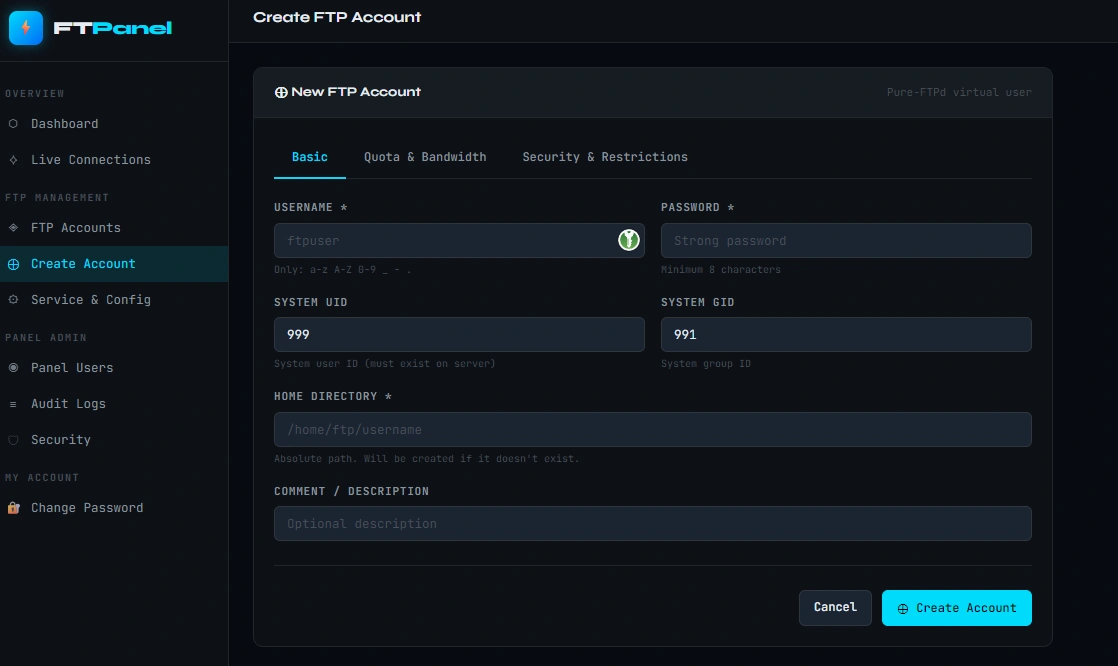
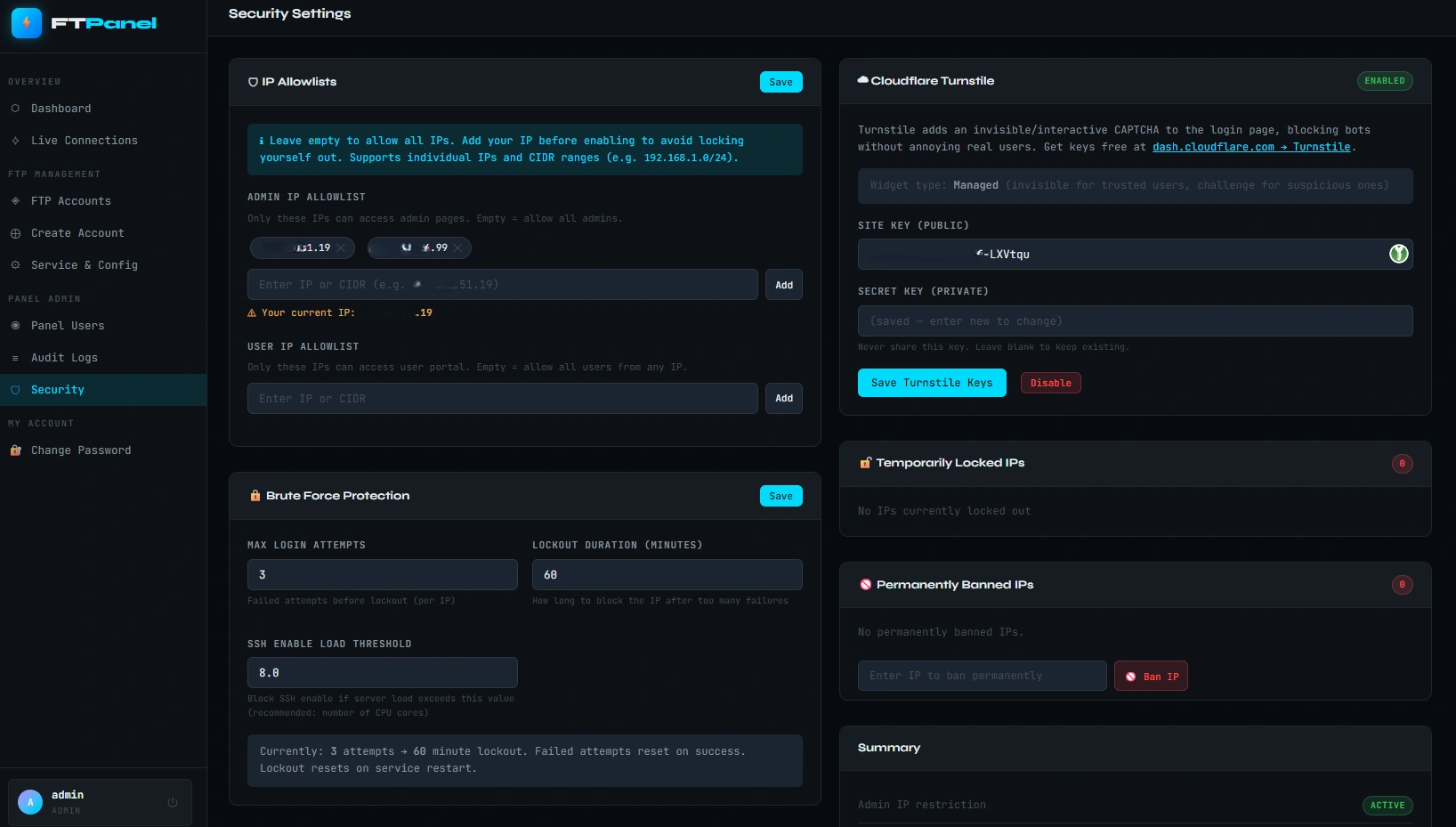
Everything to manage your FTP server
Admin User Management
- Create, edit, and delete FTP accounts
- Set home directory and chroot jail per user
- Assign disk quotas (MB/GB) per account
- Change passwords securely from the dashboard
- Enable or disable accounts without deleting
- Bulk view of all FTP users and their status
Client Self-Service Portal
- Clients log in to manage their own FTP account
- Change password without contacting support
- View current quota usage and limits
- View active sessions and connection history
- Read-only access to their own directory listing
- Separate portal from admin — no privilege escalation
Quota & Storage Control
- Per-user disk quota enforced at filesystem level
- Real-time quota usage display per account
- Soft and hard quota limits supported
- Quota reports viewable from admin dashboard
- Automatic quota enforcement via Pure-FTPd
- No manual quota recalculation needed
Live Connection Monitoring
- View all active FTP connections in real time
- See connected IP, username, and transfer status
- Disconnect any active session from dashboard
- Connection history log per user
- Monitor upload and download activity
- Auto-refreshes without page reload
TLS/SSL Encryption
- TLS encryption enforced for all connections
- Supports Explicit FTPS (STARTTLS)
- Certificate path configurable from admin panel
- Rejects plaintext FTP connections by default
- Compatible with all modern FTP clients
- Let's Encrypt certificate support
Audit Log
- Full activity log of all admin actions
- User login and logout events recorded
- Password changes and quota edits tracked
- Account creation and deletion history
- Filterable by user, action type, and date
- Exportable log for compliance and review
Rsync / SFTP / Restic Backup
- Per-account SSH/rsync access with ForceCommand restriction
- SFTP subsystem enabled - works with Backuply and restic
- Restic backup mode: full SFTP write access for repo storage
- Rsync restricted to rsync + mkdir only - no shell access
- UFW locks SSH port 22 to the client server IP per account
- Password sync - FTP and SSH passwords stay in sync automatically
Built securely from the ground up
Virtual User Isolation
All FTP accounts are virtual users stored in PureDB - no system accounts are created. Users are fully chrooted to their home directory and cannot traverse the filesystem.
Role-Based Access Control
Admins have full control. Clients only see and manage their own accounts through a separate portal. There is no path from the client portal to admin functions.
TLS-Only Connections
JS FTPanel enforces TLS encryption on all connections. Plain FTP is rejected by the configuration. Credentials are never transmitted in cleartext.
Rsync, SFTP & Restic - all in one panel
Beyond FTP, JS FTPanel manages SSH access for each account - enabling secure rsync and SFTP backup connections. Works out of the box with Backuply, restic, and any rsync-compatible backup client. Each account gets its own UFW rule locking SSH port 22 to the client server IP, and FTP and SSH passwords stay in sync automatically.
Rsync over SSH
ForceCommand restricts each account to rsync and mkdir only. No shell access possible. Works with Backuply incremental rsync backups.
SFTP Protocol
SFTP subsystem runs alongside rsync. Compatible with any SFTP client, restic, and Backuply SFTP backup mode.
Restic Backup
Full SFTP write access enabled for all accounts - restic stores its repository in the account home directory. No extra setup needed.
Under the hood
Works on every major Linux distribution
JS FTPanel runs on any Linux server with Python 3.6+ and Pure-FTPd installed. The installer detects your OS and configures everything automatically.
Get JS FTPanel free with your Dedicated Server
Every dedicated server comes with JS FTPanel pre-included at no extra cost.